
Step-by-Step: How to Apply LPU Coupon Code LPUDAI065 on the Portal
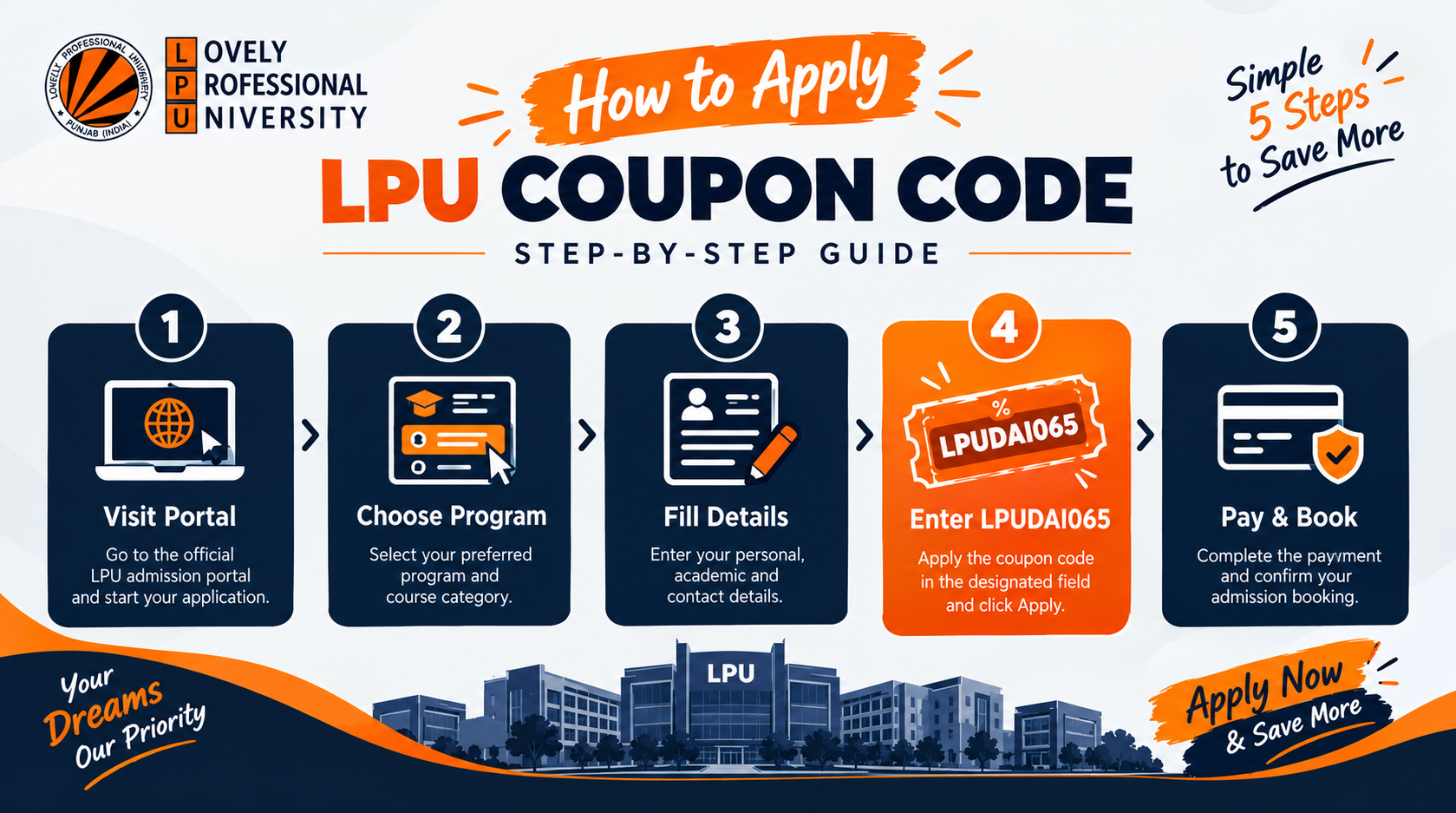
Don't pay the full LPUNEST registration fee. Follow these 5 simple steps to apply coupon code LPUDAI065 on the LPU admission portal and get a flat 50% discount instantly — before you complete your payment.
🏷️ Your Exclusive Coupon Code
Flat 50% Off on LPUNEST Fee
Enter this code on the payment page before paying
Boys save
₹500
Girls save
₹250
5 Simple Steps to Apply the Code
Follow these steps in order. Step 4 is where you enter the coupon code — don't skip it!
See How Much You Save
Apply LPUDAI065 and pay half the regular fee
For Boys
Original
₹1,000
With Code
₹500
You save ₹500 (50% off)
For Girls
Original
₹500
With Code
₹250
You save ₹250 (50% off)
3 Mistakes to Avoid
These are the most common errors students make when trying to apply the LPU coupon code
Paying Before Entering the Code
Many students complete the payment first and then look for the coupon code field. The code must be applied on the payment page before you confirm the transaction. Once paid, discounts cannot be applied retroactively.
Typing the Code in Lowercase or with Spaces
The coupon code is case-sensitive on some portal versions. Always type LPUDAI065 in UPPERCASE without any spaces before, after, or within the code. Even a single space will cause the validation to fail.
Skipping the "Validate" Button
Entering the code is not enough — you must click the Validate or Apply button to trigger the discount calculation. If the price on screen hasn't changed to ₹500 / ₹250, the code has not been applied yet.
Frequently Asked Questions
Answers to the most common questions about applying the LPU coupon code
QWhere exactly do I find the Promo Code field on the LPU portal?
The Promo Code field appears on the payment/fee summary page, just before you click the final "Pay Now" button. It is labeled "Promo Code" or "Coupon Code." Scroll down if you don't see it immediately — it is usually below the fee breakdown table.
QWhat if the coupon code LPUDAI065 shows "Invalid" on the portal?
First, ensure the code is typed in all caps with no spaces: LPUDAI065. If it still shows invalid, try refreshing the page and re-entering it. If the issue persists, contact us on WhatsApp at +91 88853 07365 — we will help you apply it manually or escalate to the LPU admission team.
QCan I apply the coupon code after I have already paid the full fee?
Unfortunately, the coupon code cannot be applied after payment is completed. The discount must be validated before the final payment is made. If you have accidentally paid the full fee, contact LPU admissions support immediately with your application ID — they may be able to assist, though refunds are subject to LPU's discretion.
Ready to Register at Half the Price?
Click the button below to open the LPU portal. On the payment page, enter LPUDAI065 to activate your 50% discount before paying.
Facing issues applying the code? Our counsellors are available 9 AM – 9 PM, 7 days a week.